Optimizing the shopping cart flow increased 25% checkout completion rate
Walmart App
Reform the online shopping experience for Walmart
Highlights
Digitalization of Traditional Retail Industry
Overview
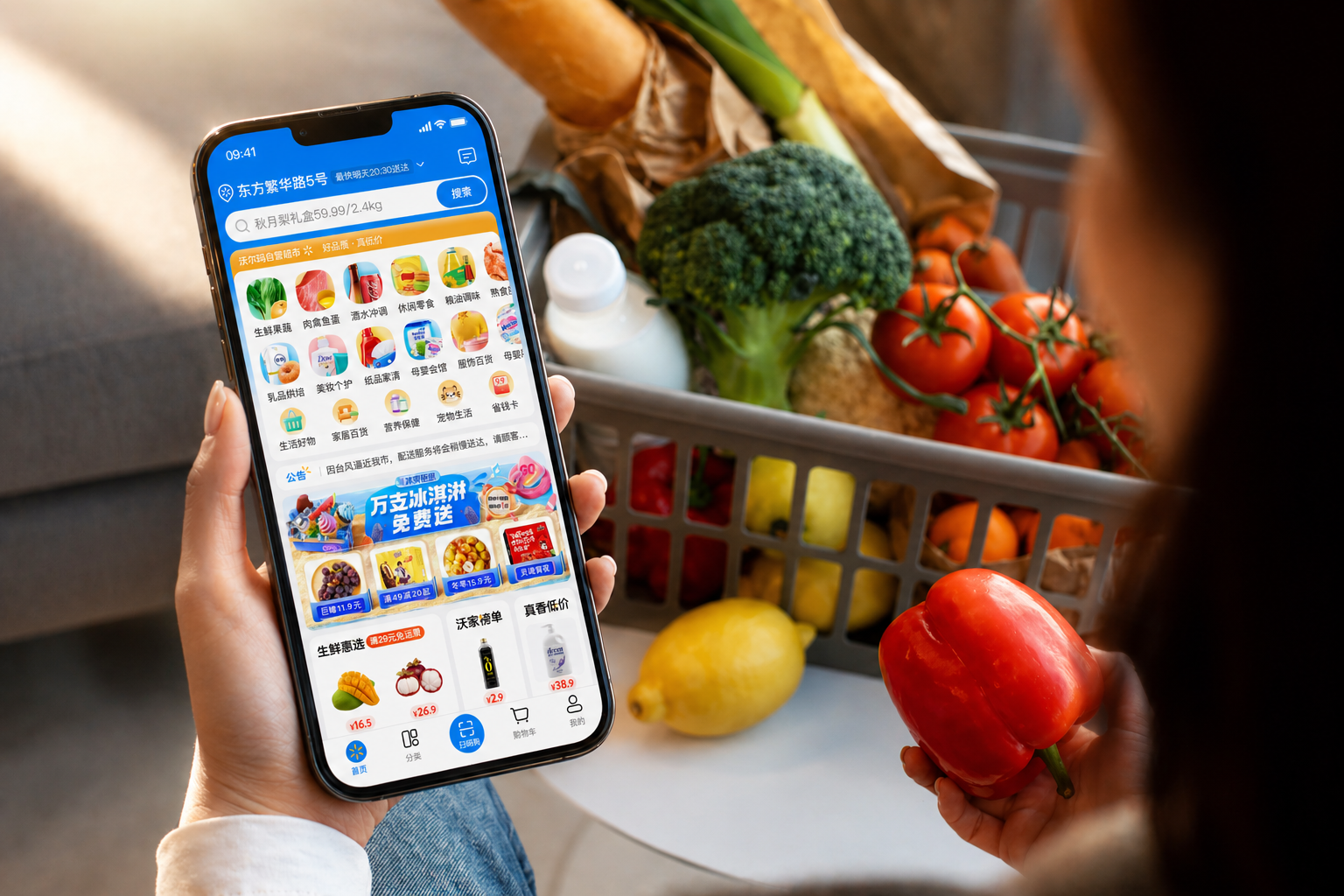
I contributed to the interaction and visual design of the Walmart mobile app, focusing on creating a seamless online shopping experience. The app enables users to browse and purchase products, track real-time delivery status, and access after-sales support. My work specifically focused on optimizing the shopping cart experience and enhancing after-sales service flows.

Redesigning the after-sales service flow reduced 30% customer support resolution time

Real-time delivery tracking improved 35% user engagement

Overall increase 20% in user satisfaction, strengthening user trust in the platform
Defining
Problem Identification
A fragmented and inefficient in-store shopping journey
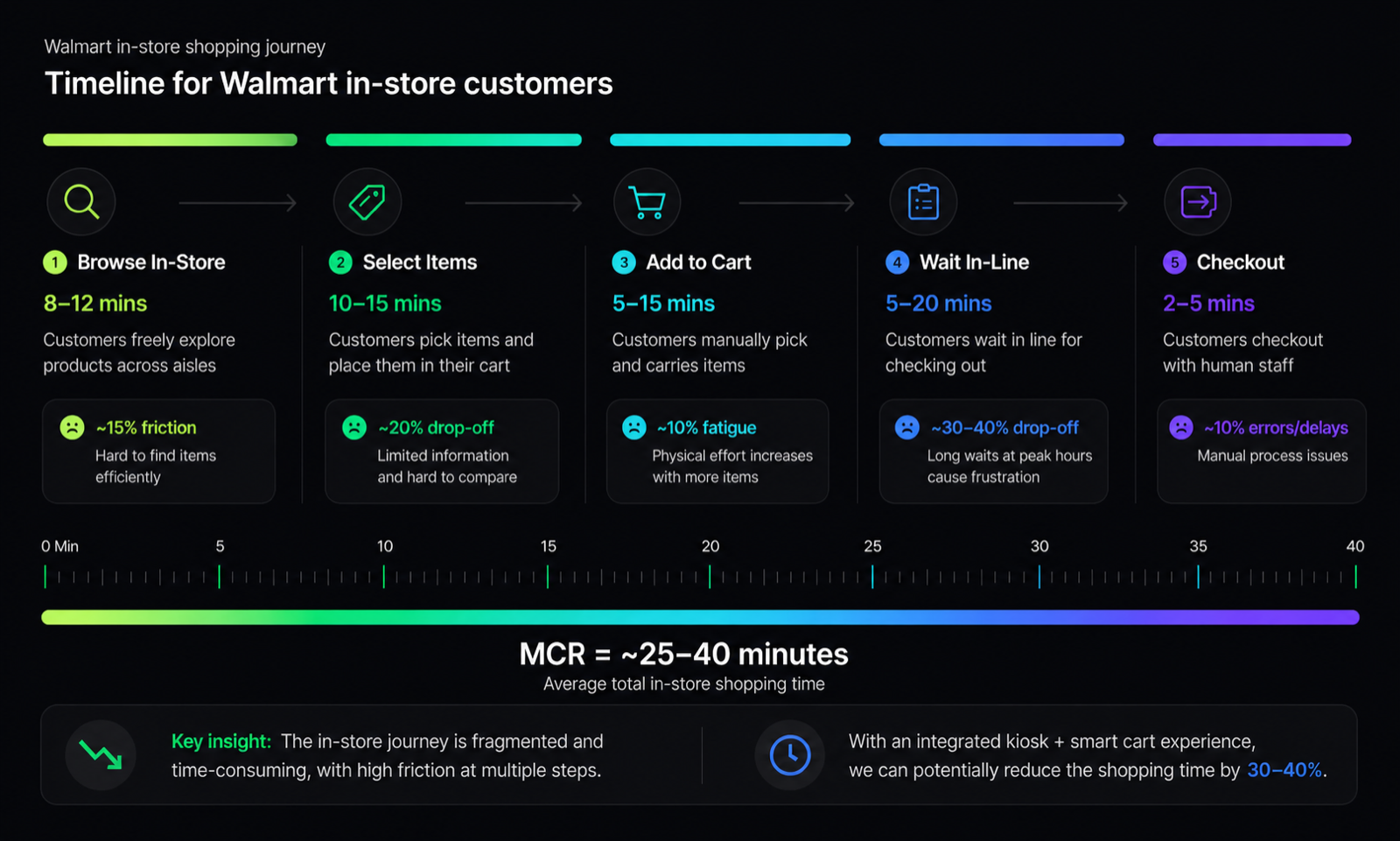
We found that traditional supermarket shopping involves multiple disconnected steps—from discovering products to checkout—often requiring physical navigation, repeated decision-making, and waiting in line. Unlike digital experiences, users lack clear guidance, real-time feedback, and efficient tools to streamline their journey.
Browse In-Store
Customers freely explore products across aisles
Select Items
Customers pick items and place them in their cart
Add to Cart
Customers manually pick and carries items
Wait In-Line
Customers wait in line for checking out
Checkout
Customers checkout with human staff


However, can we do better?
Adapting traditional retail models, we observed significant inefficiencies: users spend excessive time navigating aisles and waiting at checkout, with peak-hour queues increasing total shopping time by up to 30–40%. The lack of integration between browsing and checkout creates friction throughout the journey.
Design Strategy
Innovation Solution
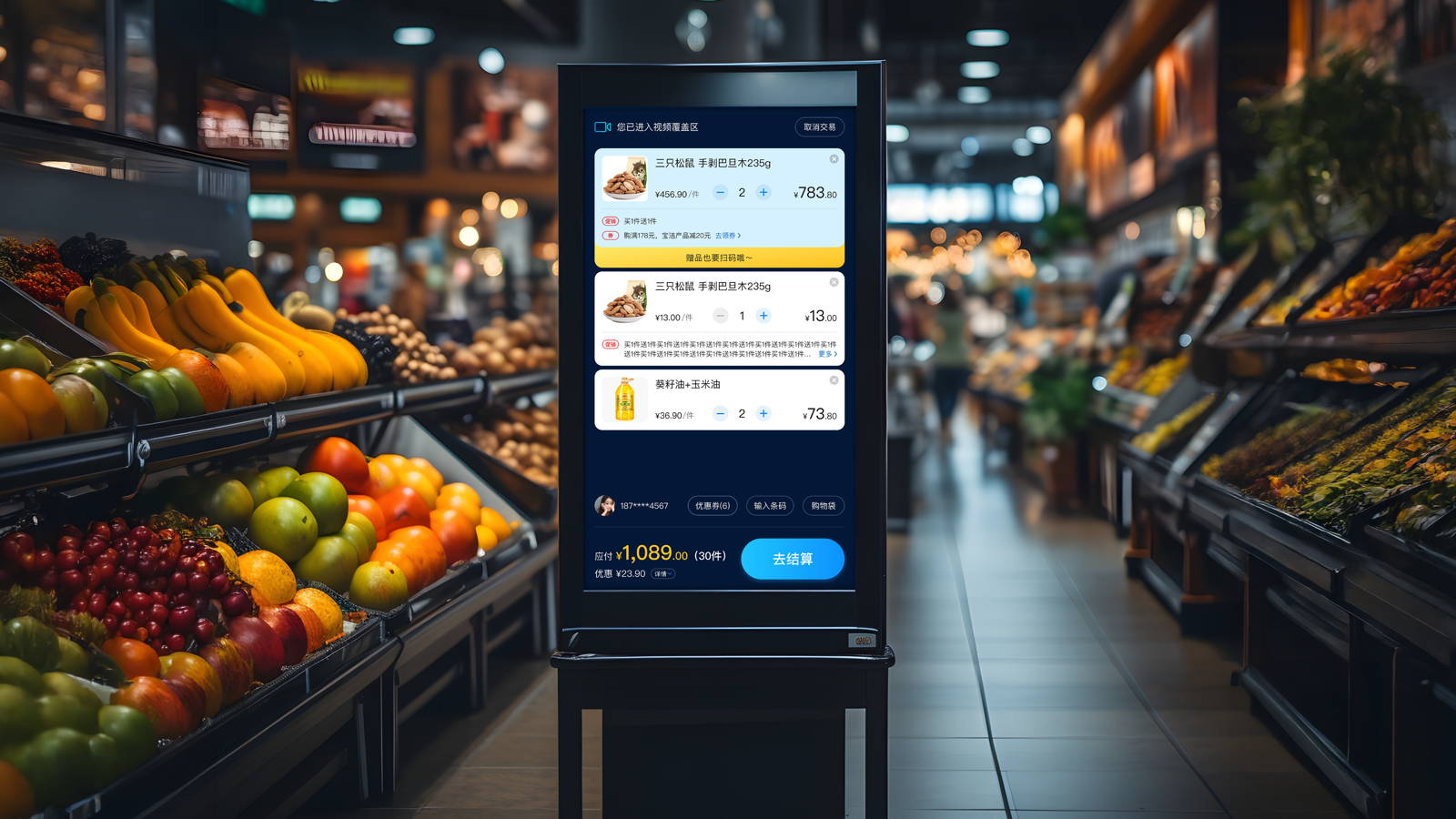
Replacing queues with self-service
Our first step was to rethink the traditional cashier-based checkout experience. Instead of relying on staff-operated counters, we introduced in-store self-service kiosks that empower customers to complete transactions independently. This shift reduces wait times, improves efficiency during peak hours, and gives users more control over their shopping journey.
Browse In-Store
Customers freely explore products across aisles
Select Items
Customers pick items and place them in their cart
Add to Cart
Customers manually pick and carries items
Self Checkout
Customers review and pay items
Complete


Design Depth
Advanced Design
Push Further
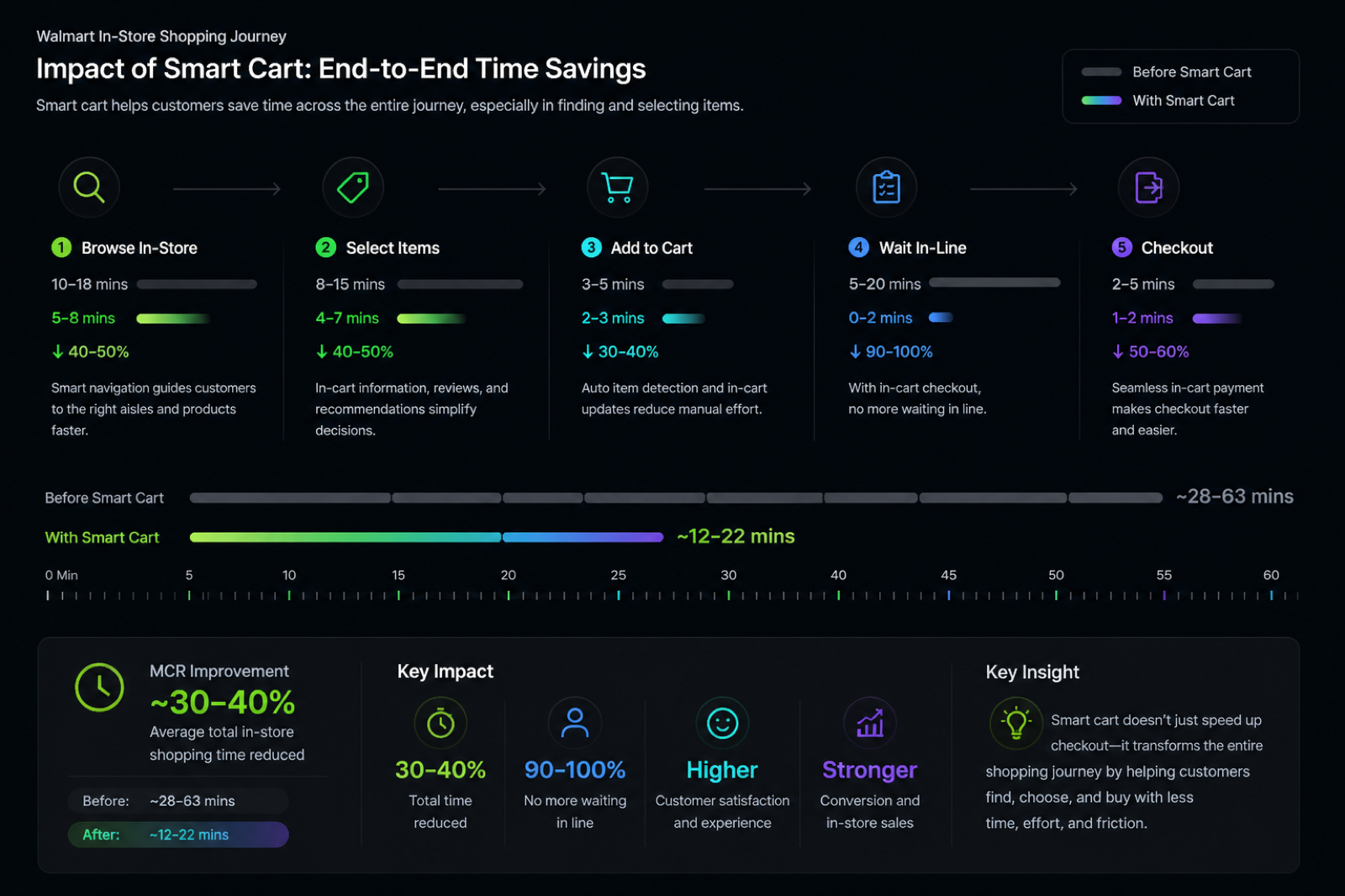
While self-service kiosks reduced checkout wait times, customers still wasted time navigating aisles, searching for products, and managing their carts. The need to stop and complete checkout also interrupted the shopping flow. This revealed an opportunity to redesign the entire journey into a more seamless and continuous experience.
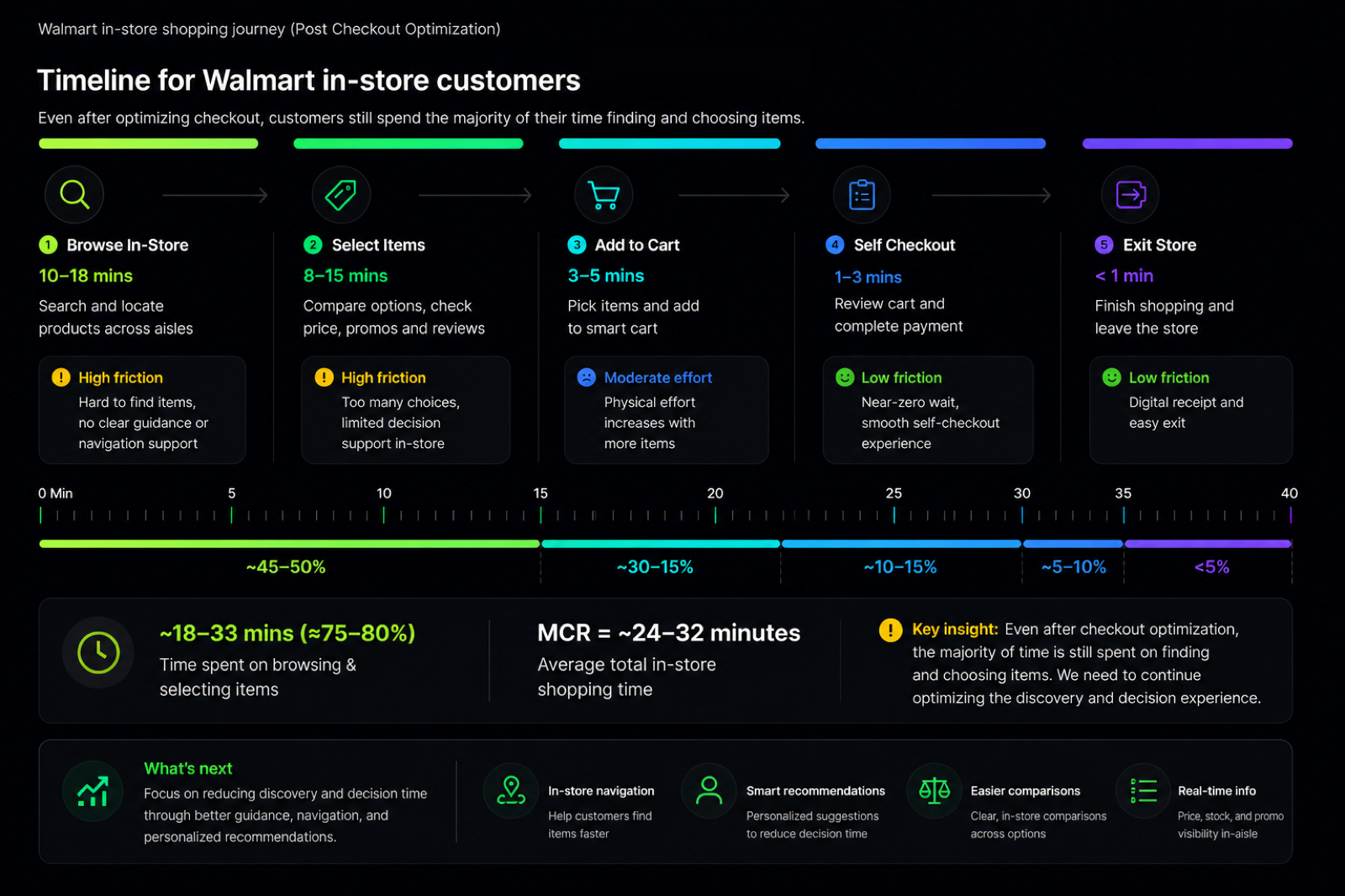
How can we do better?
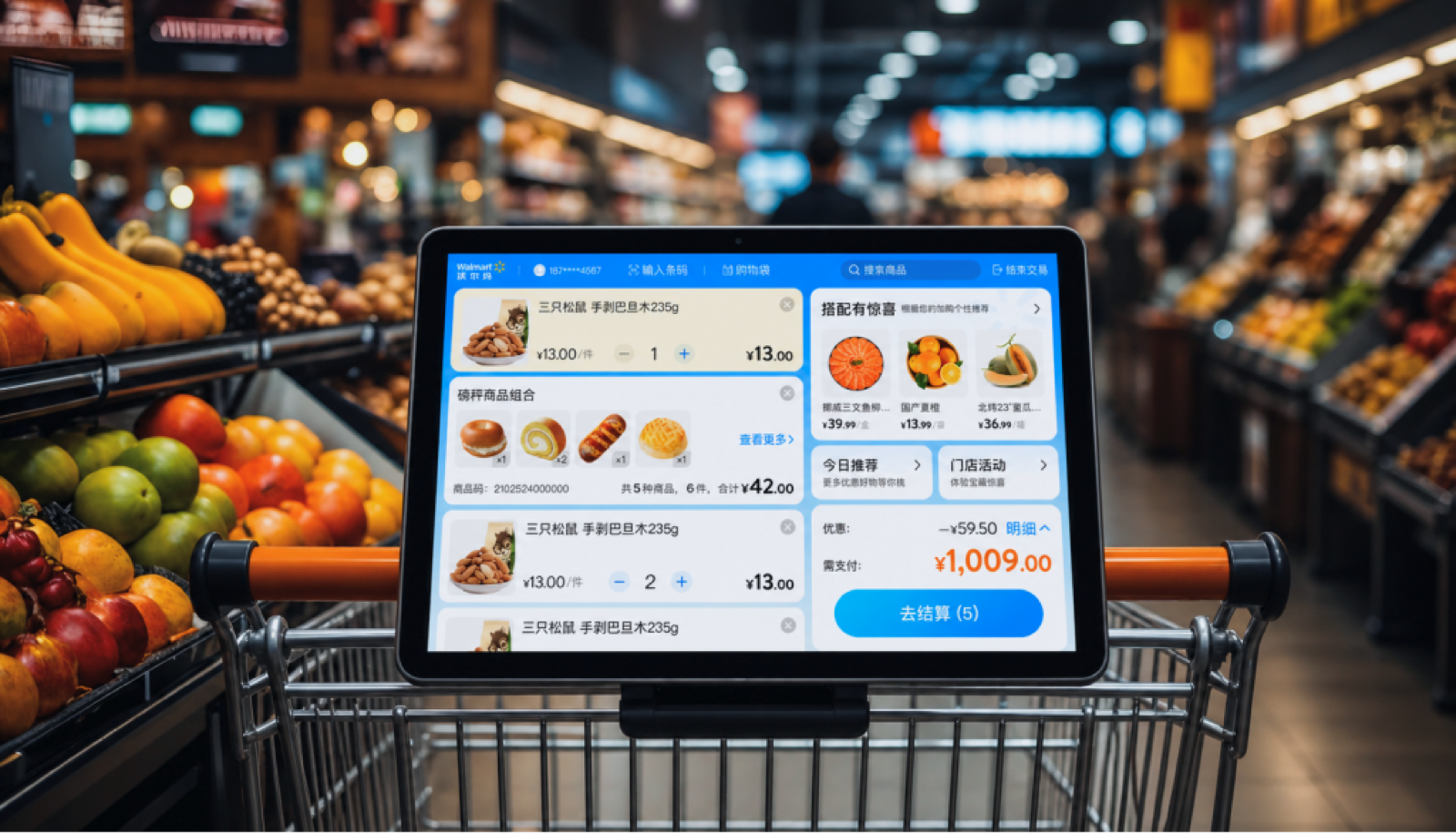
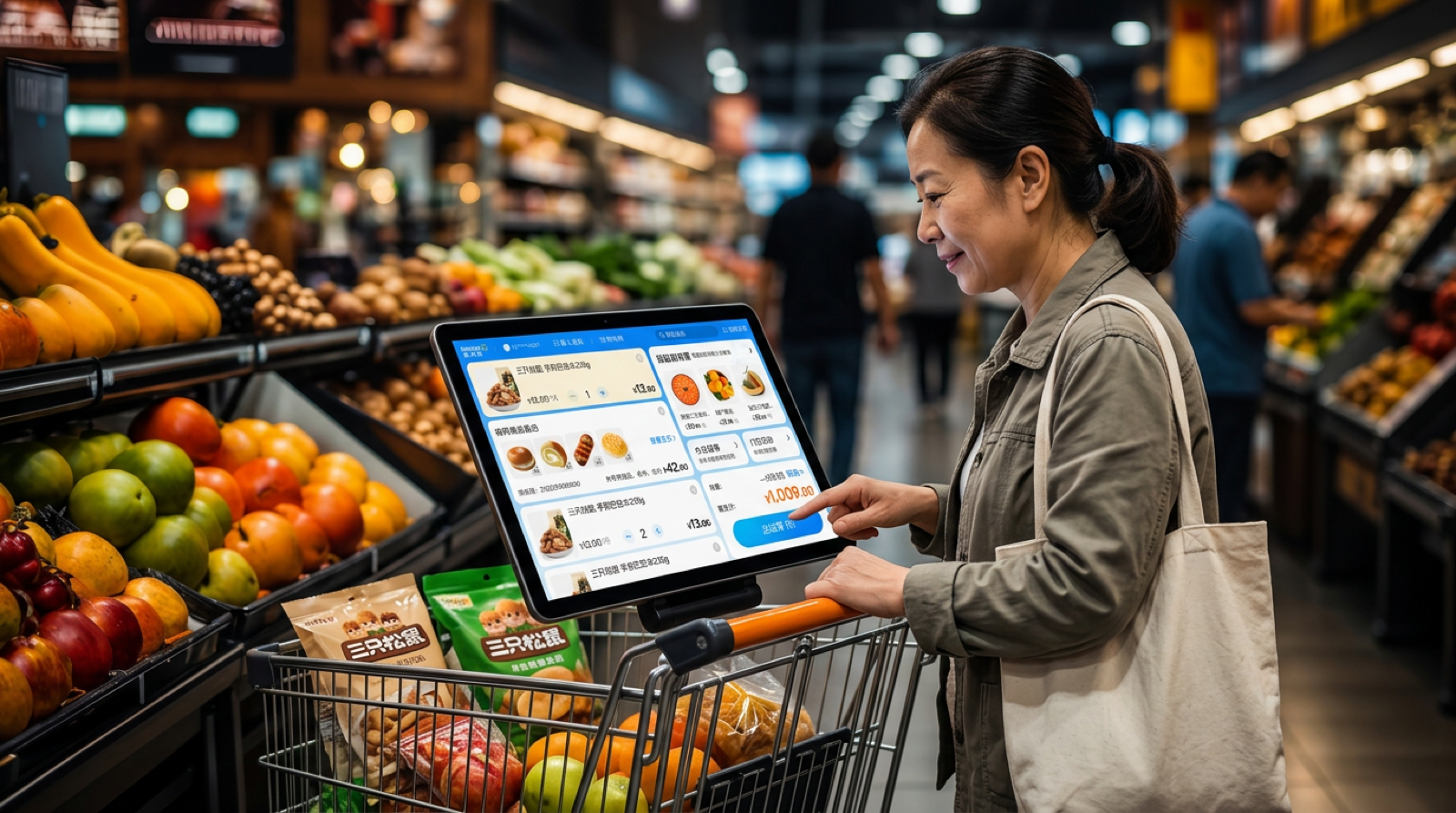
We introduced a smart cart with a connected screen to enable real-time item recognition and seamless interaction. As users scan items, they are instantly added to a digital cart, allowing users to review, manage, and complete checkout directly without stopping at a kiosk. Beyond checkout, the smart cart also enables product search and in-store navigation, guiding users to exact item locations and reducing time spent wandering the aisles.
Deployment Showcase
Scan Items and Pay
Scan items directly on the smart cart to add them in real time, review purchases, and complete checkout instantly—no waiting, no interruption.
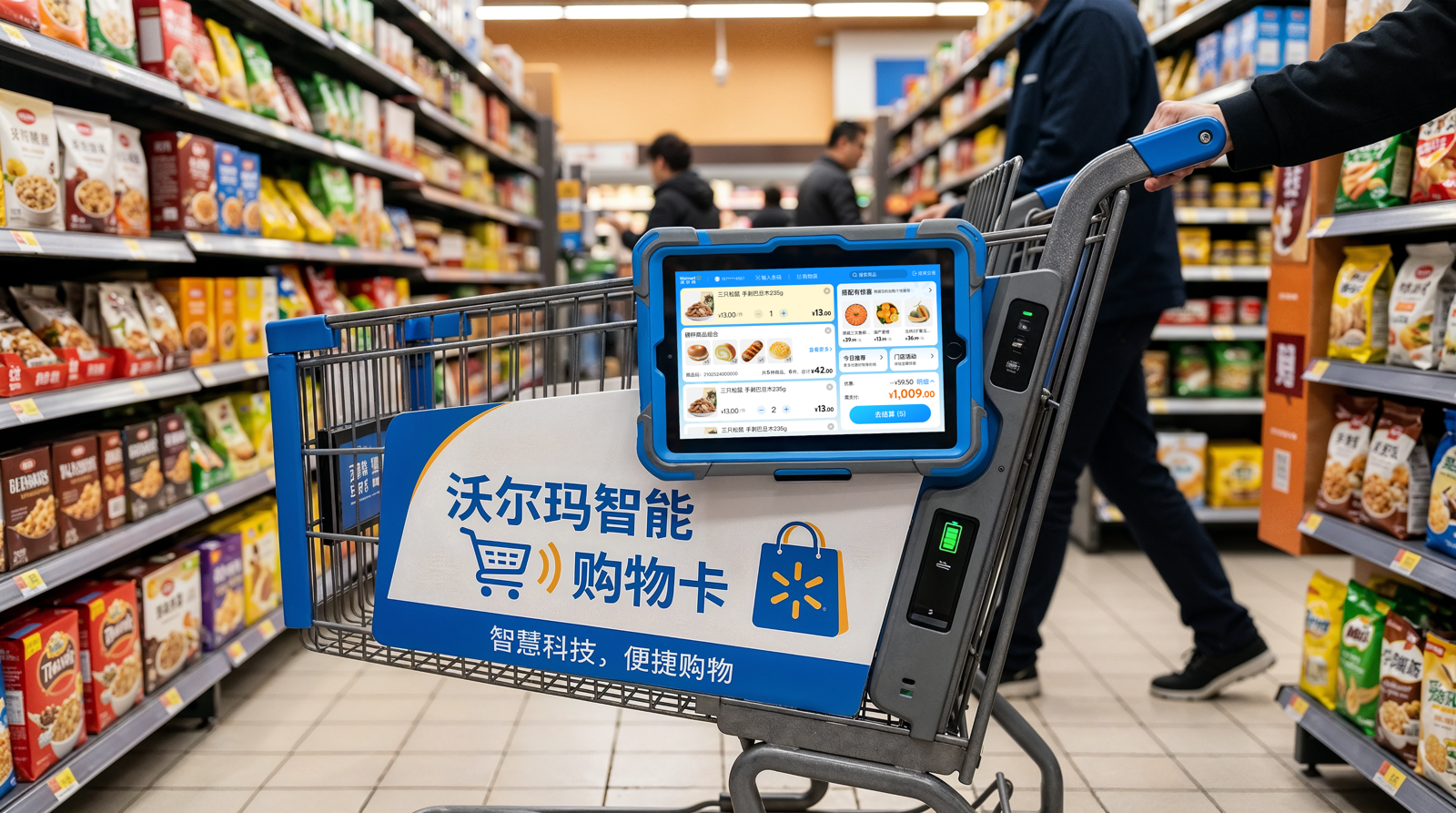
Search Items
Search products on the smart cart and get guided navigation to their exact location—faster, easier, and more efficient.
Outcomes and Learnings
Ease of use drives in-store efficiency
Our redesigned in-store experience, combining self-service kiosks and smart shopping carts, significantly reduced friction across the shopping journey. By enabling real-time item scanning, seamless checkout, and guided navigation, we streamlined the process from product discovery to payment, improving both efficiency and user satisfaction.

Reduced checkout time by ~40%, eliminating peak-hour queues and speeding up purchases

Integrated navigation improved efficiency and engagement by ~30%, enabling faster product discovery